Zurix Freight
Dispatch is free for now

Every load, from the rate confirmation to the signed delivery.

Zurix Freight is an iPhone app for truck drivers and a live board for the people who dispatch them. The load, its paperwork, its stops and its pay estimate stay together, on the phone and in the office.

The dispatch site costs nothing while we are getting started. If that is going to change, we will say so here first.
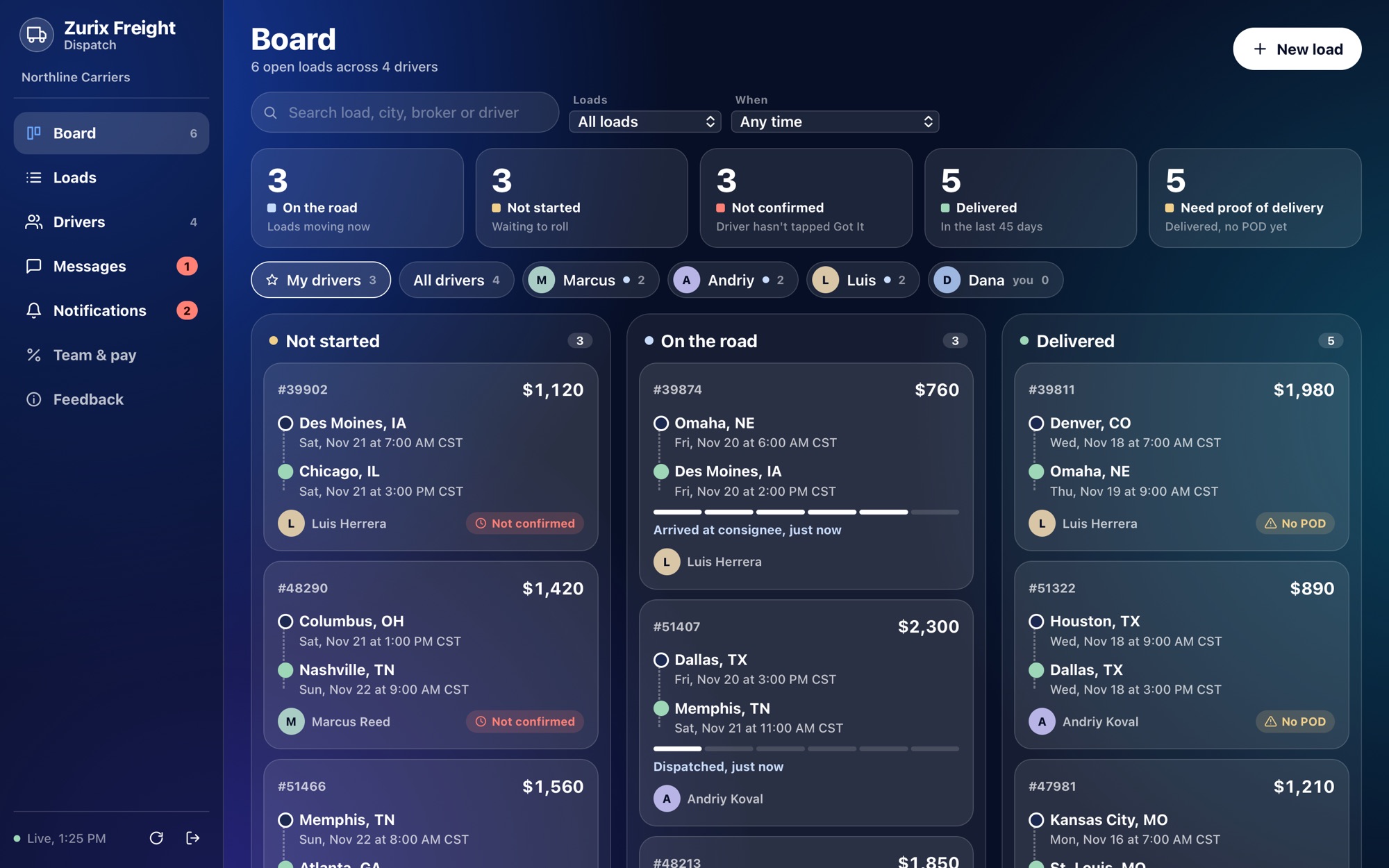
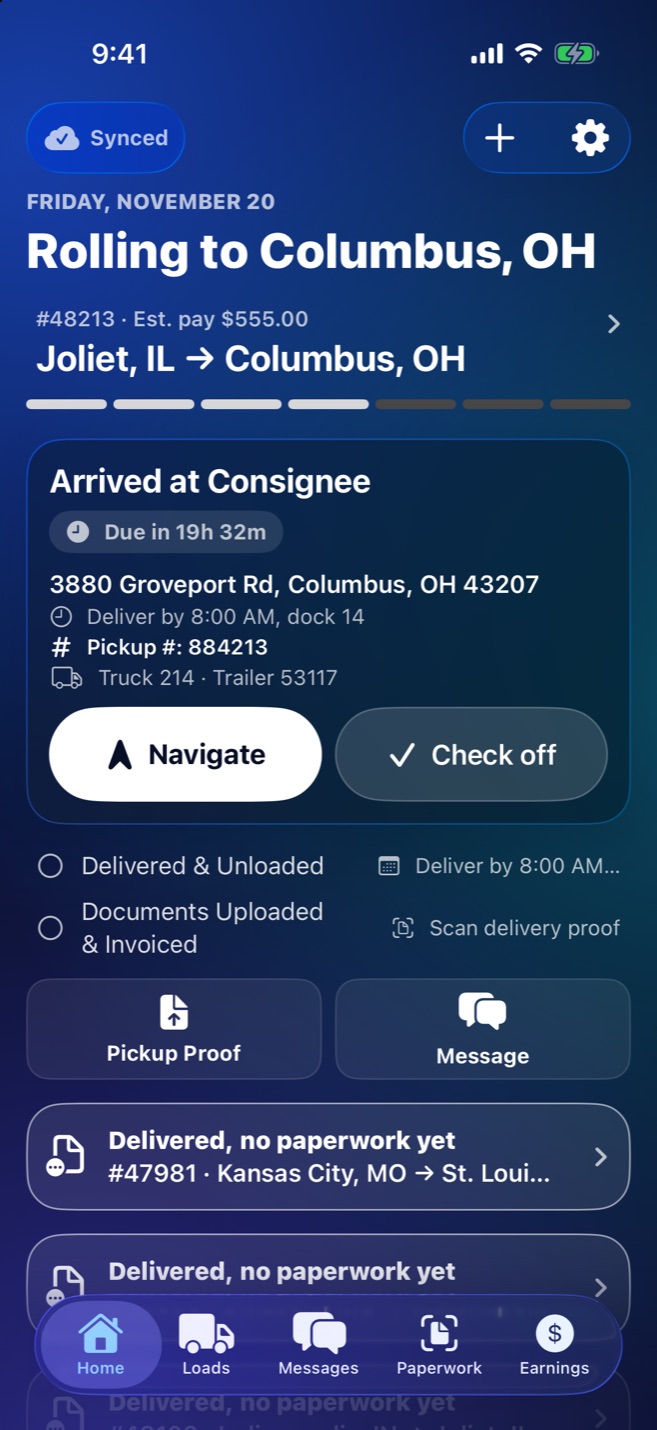
The dispatch board: loads not started, on the road and delivered, with each driver's name and the rate. The driver's Home screen: the current stop, its address, the pickup number, and Navigate and Check off buttons.
  • Rate confirmations read by AI
  • Pickup and PO numbers at the gate
  • Arrival checked off by location
  • Proof of delivery scanned in the cab
  • Messages with dispatch
  • Pay estimates by week
  • Works with no signal

On the driver's phone, the next stop is the whole screen.

Built to be read at a glance in a cab: large type, one white button for the thing to do next, and nothing to dig for at the gate.
Home screen showing the stop being worked, with address, deadline, pickup number and truck.
The trip, one step at a timeThe stop being worked sits on top with its address, deadline and pickup number. Navigate opens the maps app the driver chose.
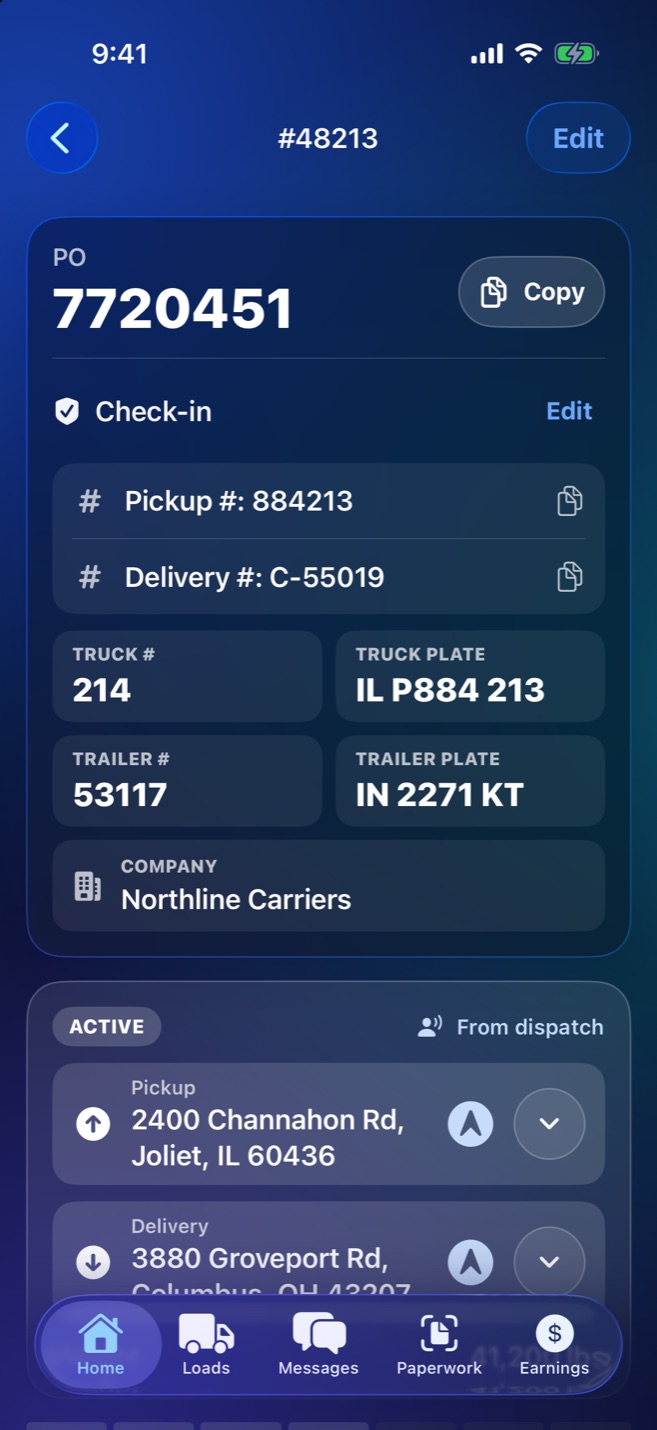
A load's screen with the PO number in large type, pickup and delivery numbers, and truck and trailer plates.
What the gate asks forPO, pickup and delivery numbers in large type with a Copy button, next to the truck and trailer numbers and plates.
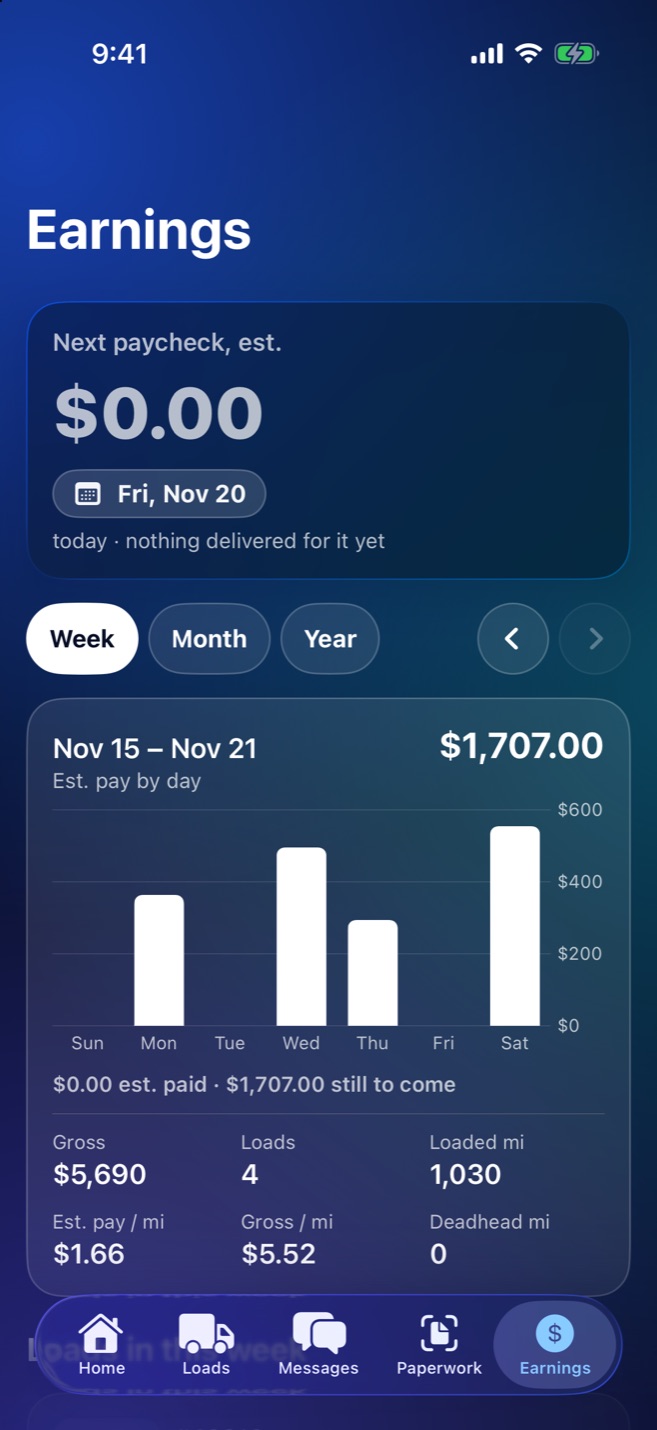
Earnings screen with the next paycheck estimate and a bar chart of estimated pay by day.
Pay, shown as an estimateThe driver's share of each load, by day, week and month, and what the next payday should bring. Zurix Freight does not handle the money.

In the office, one board shows where every load stands.

The dispatch site runs in any browser. Send a load, watch it move as the driver checks off each stop, and see the paperwork the moment it is scanned.
The dispatch board with three columns: not started, on the road, delivered.
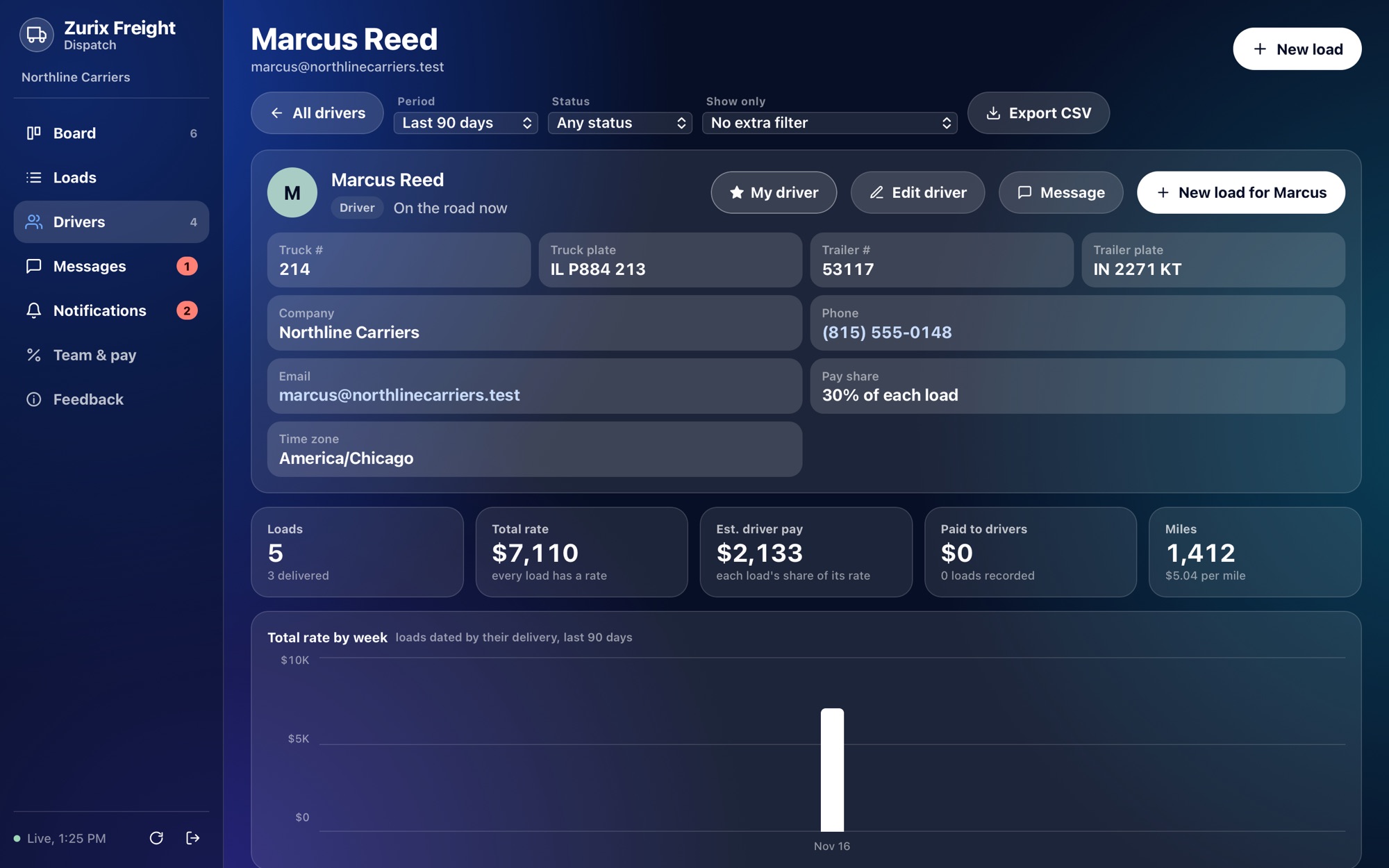
A driver's page with truck and trailer numbers, plates, phone, pay share and totals.
Everything about a driverTruck, trailer, plates, phone and pay share, all editable from the office, with their loads and totals underneath.
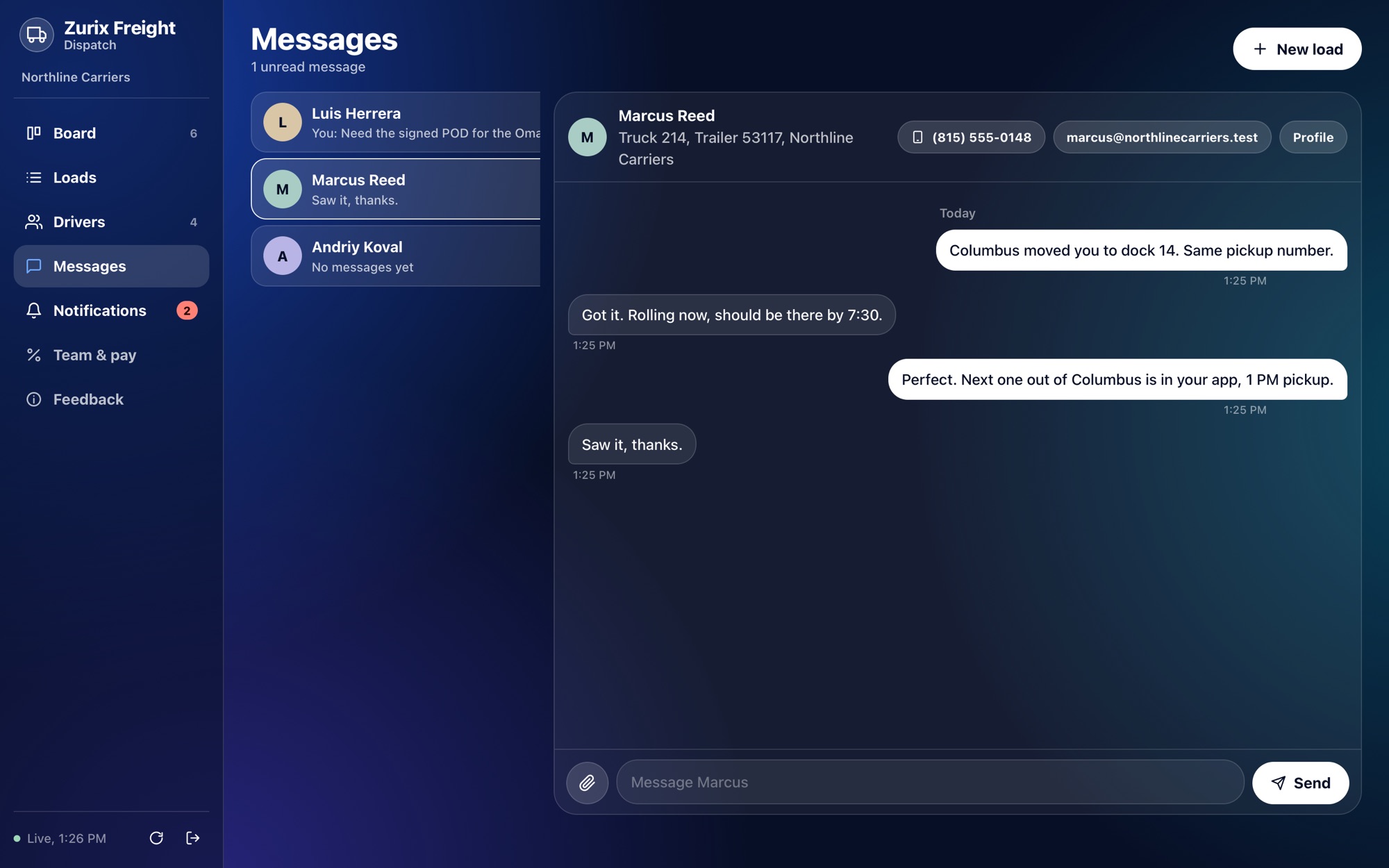
Messages between a dispatcher and a driver on the dispatch site.
One conversation per driverMessages, pictures and documents with each driver, readable by every dispatcher in the company.

What it does that a group chat and a folder of PDFs do not.

Paperwork is read for youAttach or forward a rate confirmation and AI fills in the load from it. A person checks it before it goes to the driver.
Stops check themselves offWith location check-in on, arriving and leaving a stop marks the step. The driver's location is never recorded or sent anywhere.
It works with no signalLoads, documents and scans are kept on the phone and sent when the connection comes back.
Documents stay with their loadProof of pickup, load pictures and the signed delivery receipt are scanned in the app and filed under the load they belong to.
The office can fix thingsA wrong trailer number or a moved appointment is corrected on the board and shows up on the driver's phone.
Drivers on their own can use it tooNo company needed: scan the paperwork, forward the email, or type the load in.

Get started.

Dispatchers

  1. Create your account on the dispatch site. It asks for your name and your company's name.
  2. Give your drivers the join code it shows you.
  3. Send the first load by attaching the paperwork or typing it in.

Free for now, with no card asked for.

Open Dispatch

Drivers

  1. Get the iPhone app. It is not in the App Store yet; your dispatcher can tell you when it is.
  2. Create an account with your email and a password.
  3. Enter your company's code, or choose to drive on your own and add loads yourself.

The App Store link will be here when the app is published.

The screens on this page show a demonstration company with made-up drivers and loads.